
How Wavi works in four steps
Within five minutes your child is watching videos you have picked. Here is how to set it up.

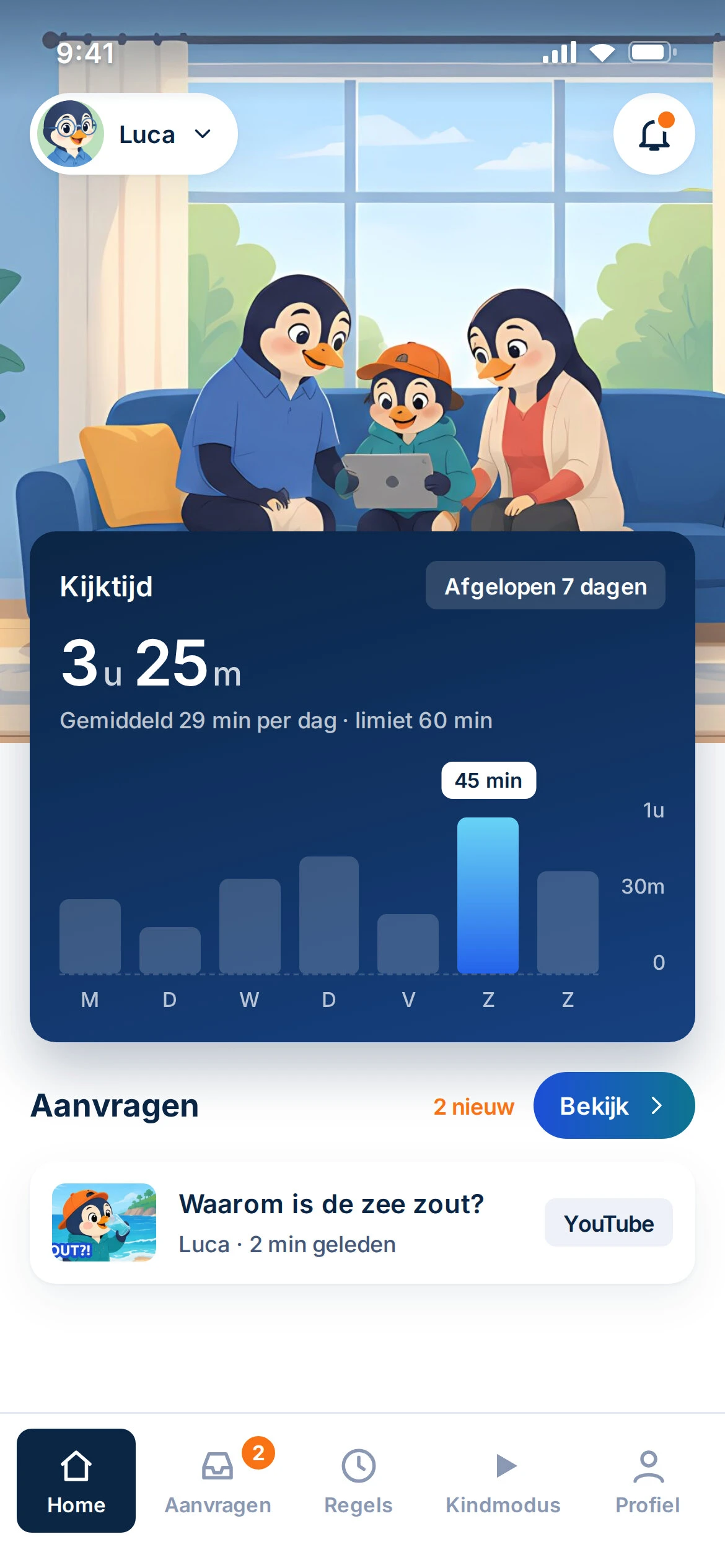
Create your parent account
Download Wavi on your own phone or go to hellowavi.com. Create an account with your email address and choose a subscription. You pay nothing for the first 30 days.
- Choose monthly, yearly or one-off
- You get a reminder five days before the trial ends
- Invite the other parent with one link
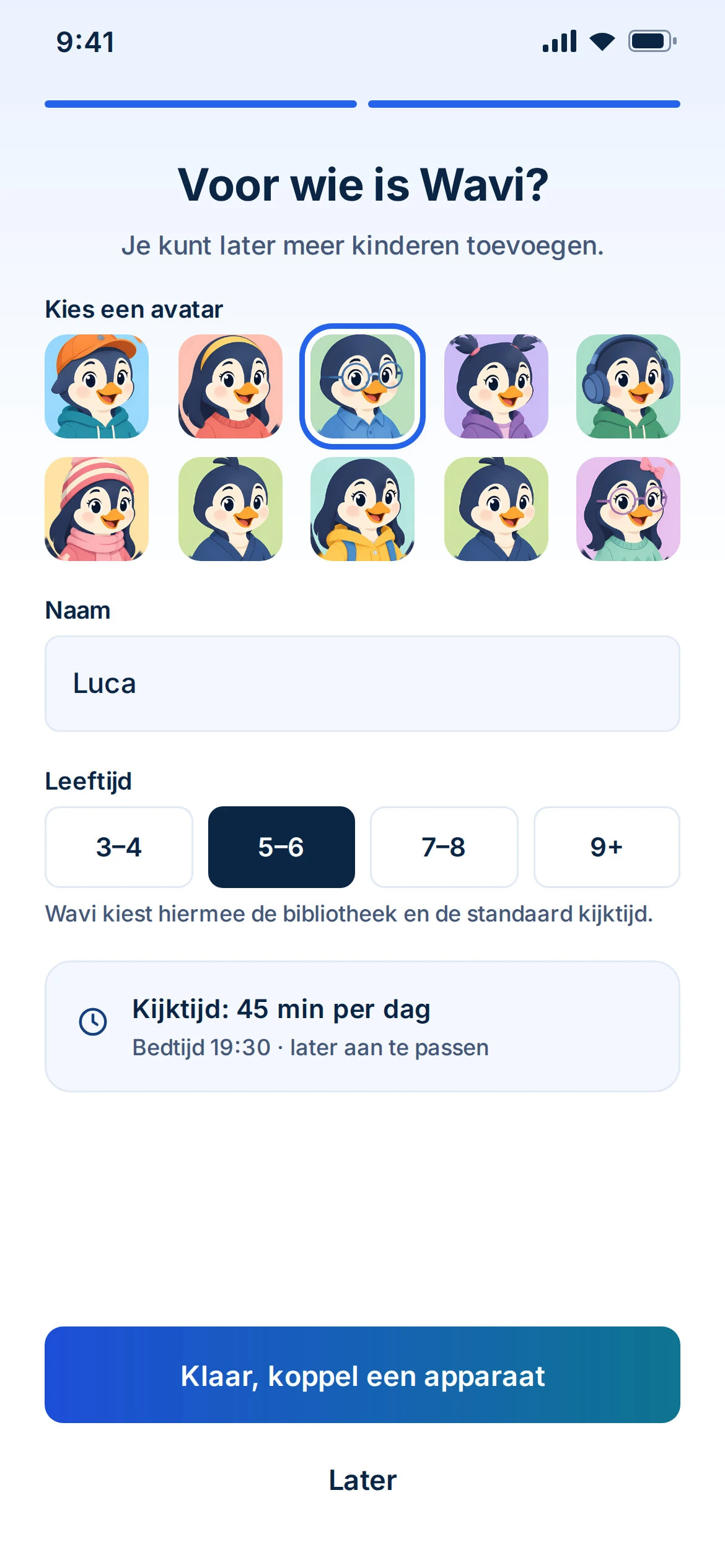
Add your children
Give each child a name, an avatar and an age. Wavi sets screen time and bedtime based on their age. You can change everything later.
- Up to 6 children per family
- Separate rules for each child
- No email address or phone number needed for your child
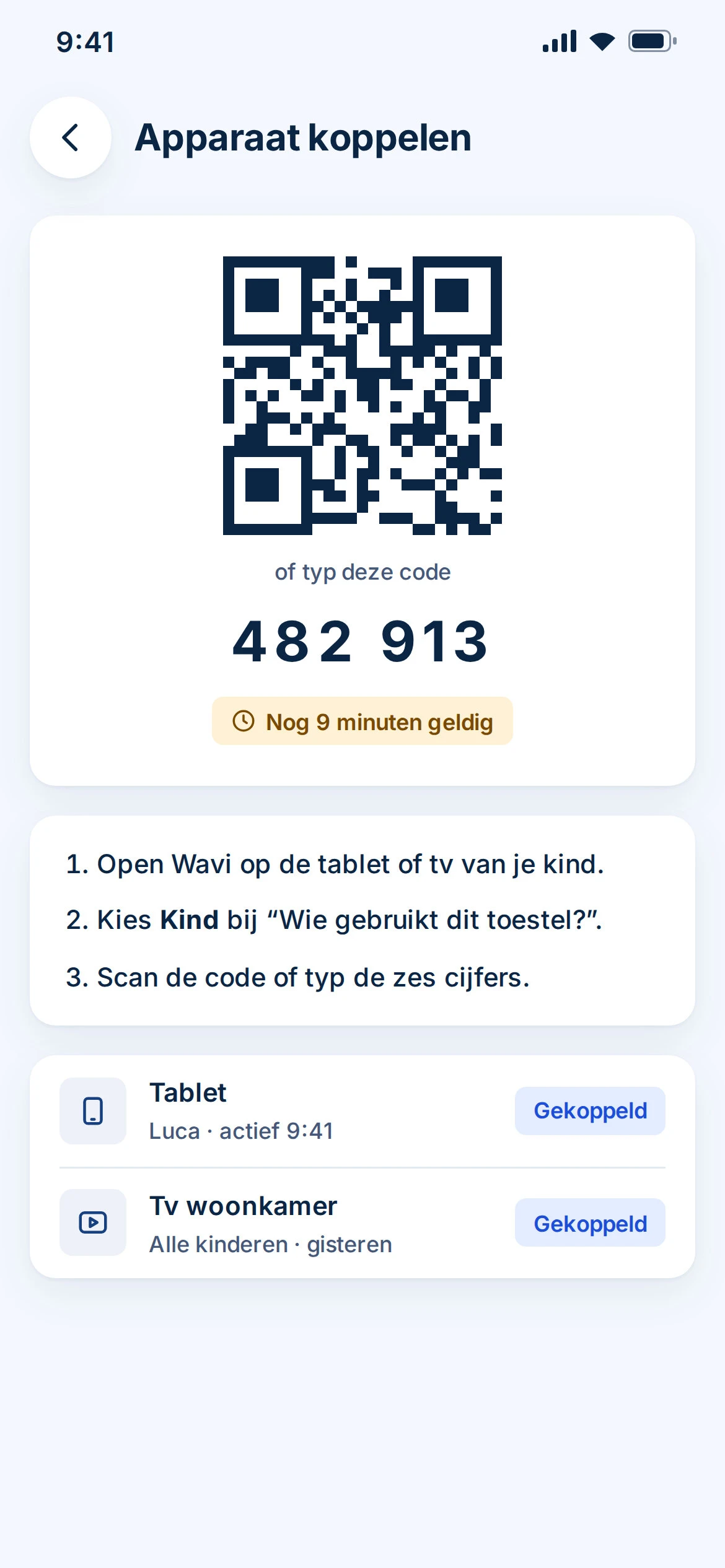
Link your child’s device
Open Wavi on your child’s tablet, phone or TV and scan the code with your own phone. The device is then in kids mode.
- Works on iPad, Android tablets, phones and smart TVs
- Leaving kids mode needs your PIN
- Unlink a device remotely
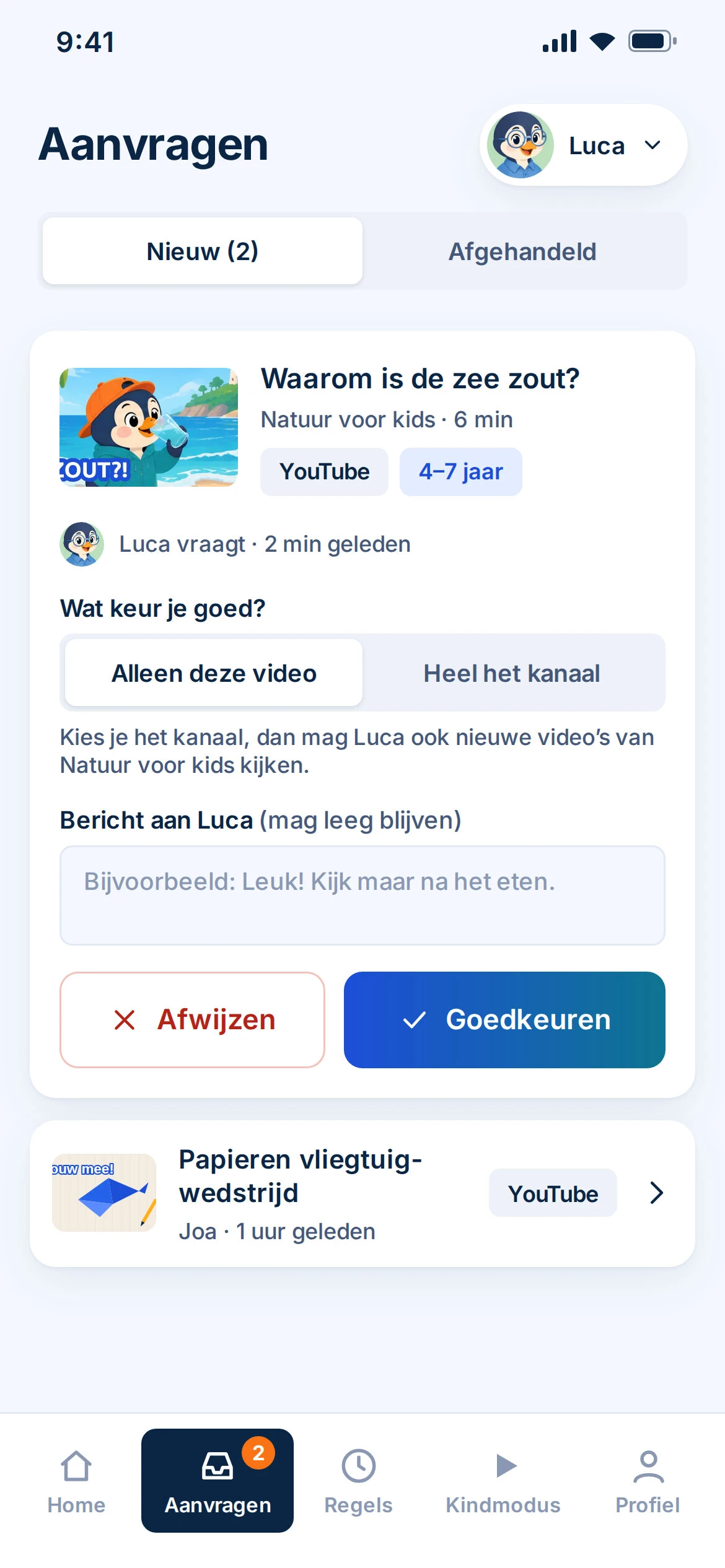
Your child asks, you approve
Your child browses videos that suit their age and asks for what they want to watch. You get a notification and approve the video or the whole channel.
- Answer from the notification
- Add a short message; your child sees it right away
- Approved videos are ready in “My videos”
Two sides of the same app
You and your child use the same app, but see something completely different.
What your child sees
- Big buttons and pictures, little text
- Only videos you have approved
- A “Can I watch this?” button on new videos
- How much screen time is left
What you see
- All requests from all your children
- Screen time per child, per day
- Approved channels and single videos
- Devices, PIN and subscription
Works on all your screens
Tablet
iPad and Android tablets, portrait and landscape.
Phone
For you as a parent and for older children.
Smart TV
Watch together on the big screen.
Web app
Manage everything from your computer at hellowavi.com.
Questions about using Wavi
Can my child search for videos?
Your child sees a selection of videos that suit their age and can browse through them. Anything new has to be approved by you first.
What if I don’t answer in time?
The request stays open and your child sees “Waiting for mum or dad”. Meanwhile your child can watch anything already approved.
Can both parents approve?
Yes. Invite the other parent from the app. You both see the requests; whoever answers first decides.

Ready for calm screen time?
Download Wavi on your own phone and on your child’s device. The first 30 days are free.
Or use Wavi in your browser